Author: Brody Kilpatrick | Created: July 29, 2019
This is from B.
This is what I’ve been using to fix some of the SP issues.
We should theoretically run this for all failed deployments on a scheduled, but,.. it would crash if we would do that.
/////////////////////////////////////////////////////////////////////
declare @MyDP as varchar(25)
—– partial DP name here ———
SET @MyDP = ‘ehsin’
SELECT distinct A.DPName, A.PackageID, B.Name,
CASE a.MessageState
WHEN 1 THEN ‘Success’
WHEN 2 THEN ‘In Progress’
WHEN 4 THEN ‘Failed’
ELSE ‘Unknown’
END AS [Status]
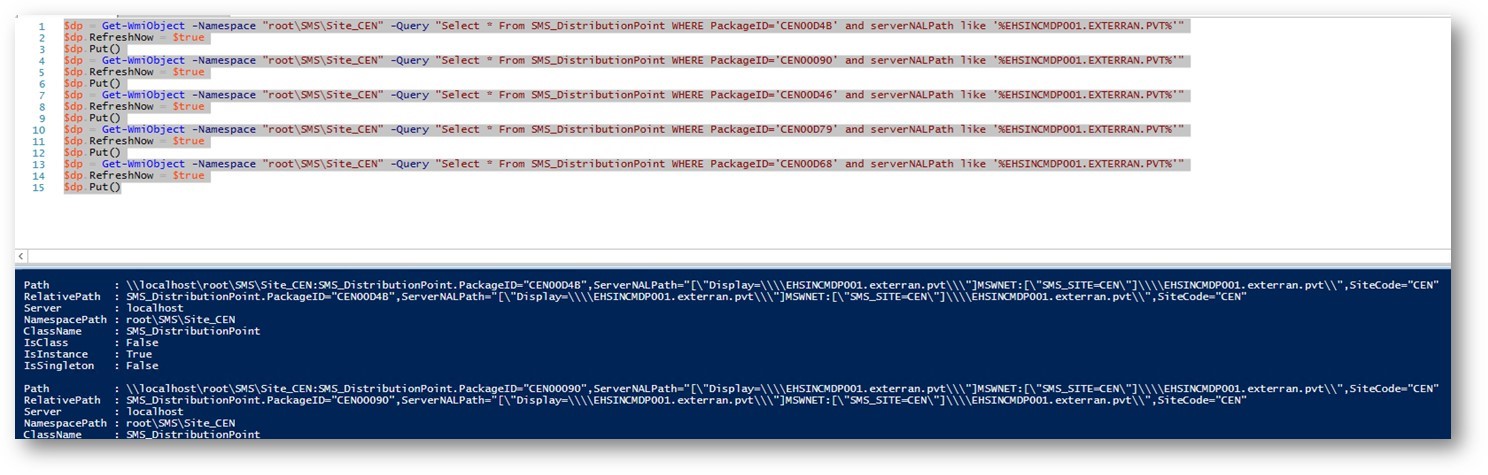
,’$dp = Get-WmiObject -Namespace “root\SMS\Site_CEN” -Query “Select * From SMS_DistributionPoint WHERE PackageID=’’’ + A.PackageID + ‘’’ and serverNALPath like ‘’%’ + A.DPname
FROM vSMS_DPStatusDetails A
JOIN SMSPackages_All B ON A.PackageID = B.PkgID
WHERE MessageState <> 1
and (a.dpname like ‘%’ + @MyDP + ‘%’)
–and B.Name like ‘%java%’
group by B.Name,A.DPName, A.PackageID, a.MessageState
order by B.Name, A.DPName, A.PackageID, [Status], [PS]
///////////////////////////////////////////////////////////////////////////////
Then run the ones in questions in powershell on the sccm server